
Components:
* Arduino proMicro
* Nokia 5110 LCD
* Flow counter
Nokia and Arduino is from EBAY.
The flow counter is from FCH-m-POM-LC by https://www.btflowmeter.com/, available from Conrad Electronics and other stores. It outputs 6800 Pulses / Litre (but probably needs calibration for different fluids – like petrol).

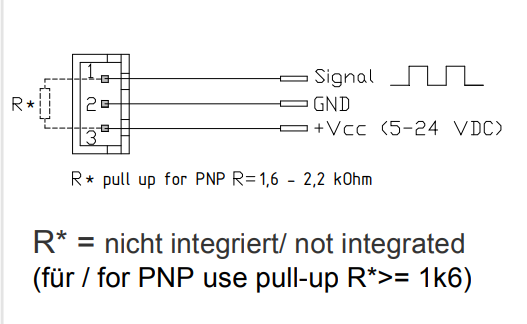
The signals are as following:
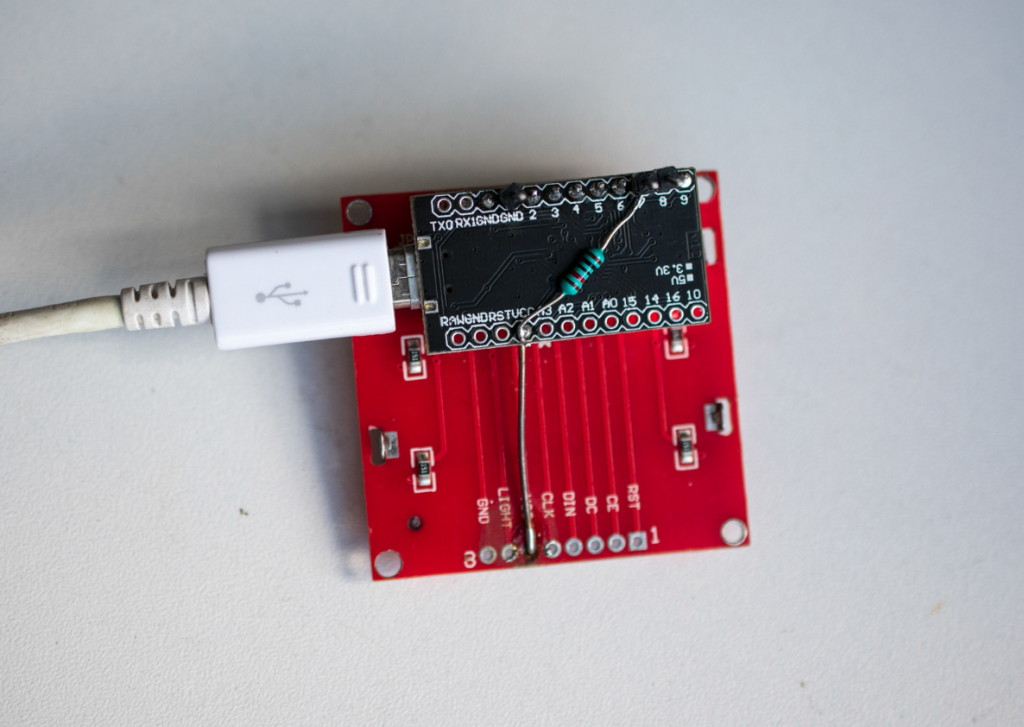
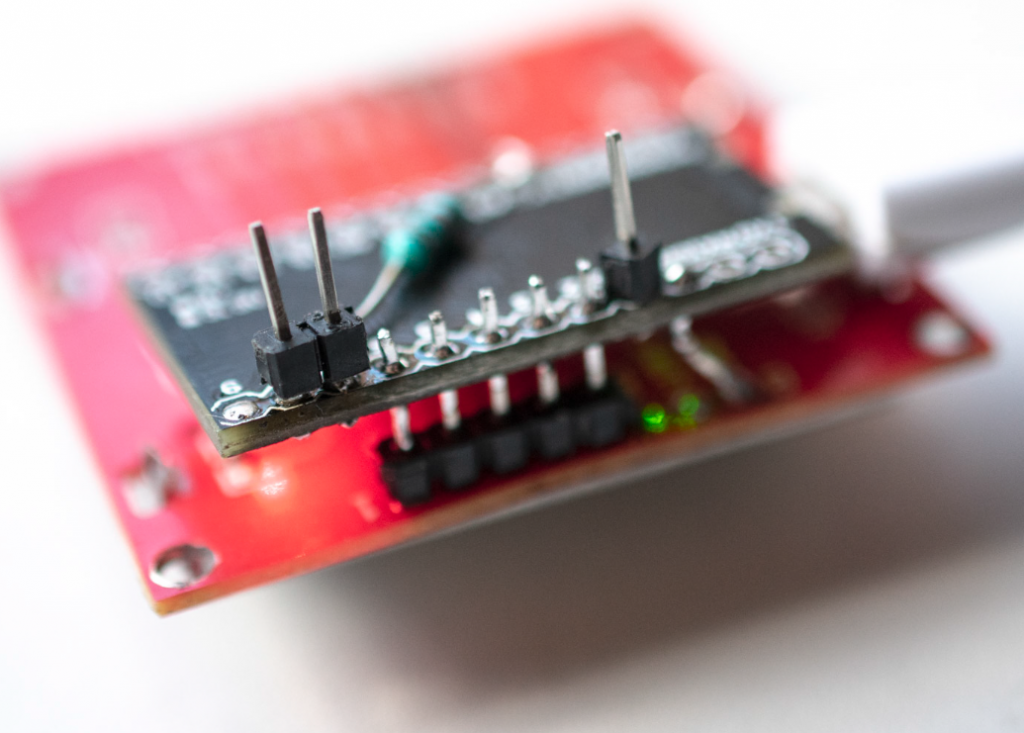
Code:
/*********************************************************************
This is an example sketch for our Monochrome Nokia 5110 LCD Displays

  Pick one up today in the adafruit shop!
  ------> http://www.adafruit.com/products/338

These displays use SPI to communicate, 4 or 5 pins are required to
interface

Adafruit invests time and resources providing this open source code,
please support Adafruit and open-source hardware by purchasing
products from Adafruit!

Written by Limor Fried/Ladyada  for Adafruit Industries.
BSD license, check license.txt for more information
All text above, and the splash screen must be included in any redistribution
*********************************************************************/

#include <SPI.h>
#include <Adafruit_GFX.h>
#include <Adafruit_PCD8544.h>

// Software SPI (slower updates, more flexible pin options):
// pin 2 - Serial clock out (SCLK)
// pin 3 - Serial data out (DIN)
// pin 4 - Data/Command select (D/C)
// pin 5 - LCD chip select (CS)
// pin 6 - LCD reset (RST)
Adafruit_PCD8544 display = Adafruit_PCD8544(2, 3, 4, 5, 6);


#define NUMFLAKES 10
#define XPOS 0
#define YPOS 1
#define DELTAY 2


#define LOGO16_GLCD_HEIGHT 16
#define LOGO16_GLCD_WIDTH  16

int flowPin = 7;    //This is the input pin on the Arduino
double flowRate;    //This is the value we intend to calculate.
volatile int count; //This integer needs to be set as volatile to ensure it updates correctly during the interrupt process.


unsigned long oldTime  = 0;
float liters;
volatile float pulseCountIN;
volatile unsigned long countIN = 0;
volatile float CountIN;
volatile float pulseCount;


#define FlowA 7

//volatile unsigned int countIN = 0;

void setup()   {
  Serial.begin(57600);
  pinMode(8, OUTPUT);
  digitalWrite(8, HIGH);
  pinMode(FlowA, INPUT);

//  digitalWrite(FlowA, HIGH);
  //digitalWrite(FlowB, HIGH);

  attachInterrupt(digitalPinToInterrupt(FlowA), CounterIN, RISING);
  //attachInterrupt(IRQ_B, CounterOUT, FALLING);


  display.begin();
  // init done

  // you can change the contrast around to adapt the display
  // for the best viewing!
  display.setContrast(70);
    display.clearDisplay();
    display.setTextSize(1);
  display.setTextColor(BLACK);
  display.setCursor(0,20);
  display.println("pilotsupply.eu");
  display.display();
  delay(3000);

}

void loop()
{
//    count = 0;      // Reset the counter so we start counting from 0 again
//    interrupts();   //Enables interrupts on the Arduino
//    Serial.print("Pulses: \t");
//    Serial.print(countIN);
//    Serial.print("\n");
//    display.setCursor(0,20);
//    display.clearDisplay();
//    display.println(countIN);
//    display.display();
//    delay (1000);   //Wait 1 second

    unsigned long now = millis();
    if(now - oldTime >= 1000)
    {
      unsigned long duration = now - oldTime;
      oldTime = now;
      liters = (countIN);
      float litersPerMinute = (1000 * liters)/duration;
      int LPM = litersPerMinute;
      pulseCount = pulseCountIN / 2500.0 * 3600;

      flowRate = ((1000.0 / (millis() - oldTime)) * pulseCount);
//      Serial.print(pulseCountIN);
//      Serial.print("\t");
//      Serial.print(pulseCount);
//      Serial.print("\t");
//      Serial.print(litersPerMinute);
      display.clearDisplay();
      display.setCursor(35,7);
      display.setTextSize(2);
      display.println(round(pulseCount));
      display.setTextSize(1);
      display.setCursor(3,30);
      display.println("liters / hour");
      display.display();

     unsigned int frac;
     pulseCountIN = 0;

  }

//    noInterrupts(); //Disable the interrupts on the Arduino
}

void CounterIN()
{
  countIN++;
  pulseCountIN++;
}
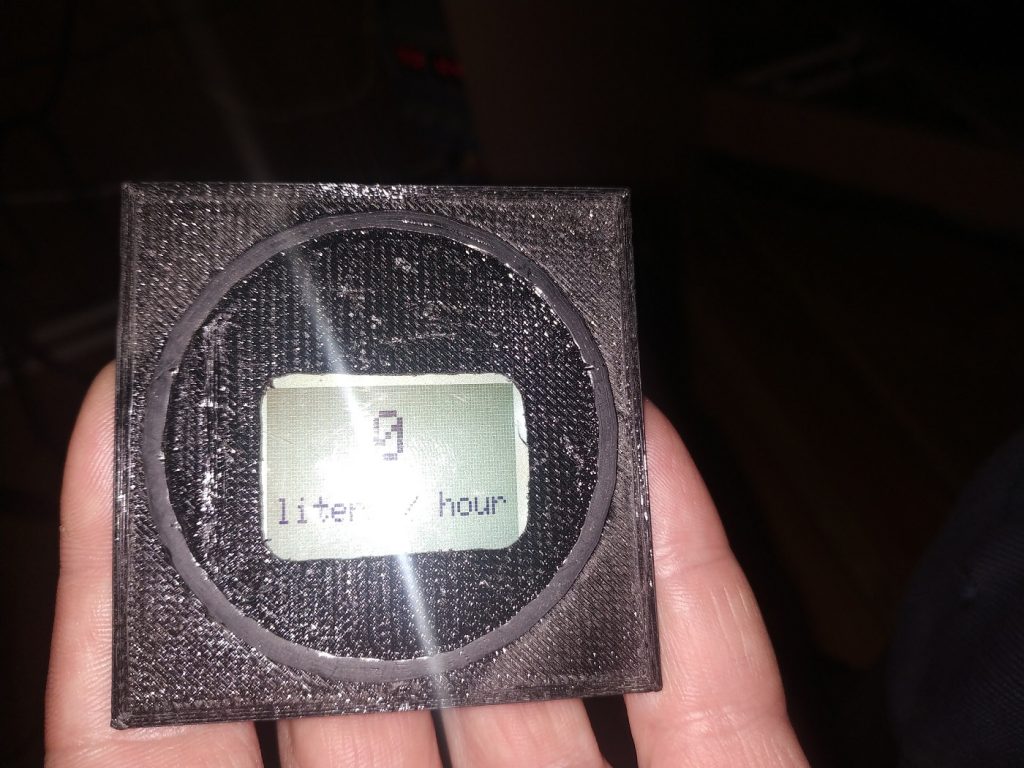
Update: 2022-05-16: 3D printed screen holder.
Good afternoon,
Thank you for sharing these circuit and hacks.
I would like to add a flowmeter on my Rotax 582 fuel system.
Do you have any feedback ?
Regards,
Michel
Feedback is simple: it works.
Please make sure, all connectors are rock-solid, because those pin-based tend to fall-off and not suitable for plane-use. It disconnected on my 3rd day of testing.
In addition, I made a 3D printed model, so it would fit standard instrument panel (STL attached).
I will try in the last days.
Stay in touch and thank you,
Michel